NPI Vantage User Guide
The All Submitted Deals screen is where you view, filter, and export every deal your organization has submitted to NPI for review. This guide covers how to access the screen, filter and customize the view, drill into a deal, and trigger a new benchmark request from this page.
Accessing All Submitted Deals
There are two ways to reach the screen:
- From the NPI Account dropdown in the top navigation, click View All Submitted Deals.
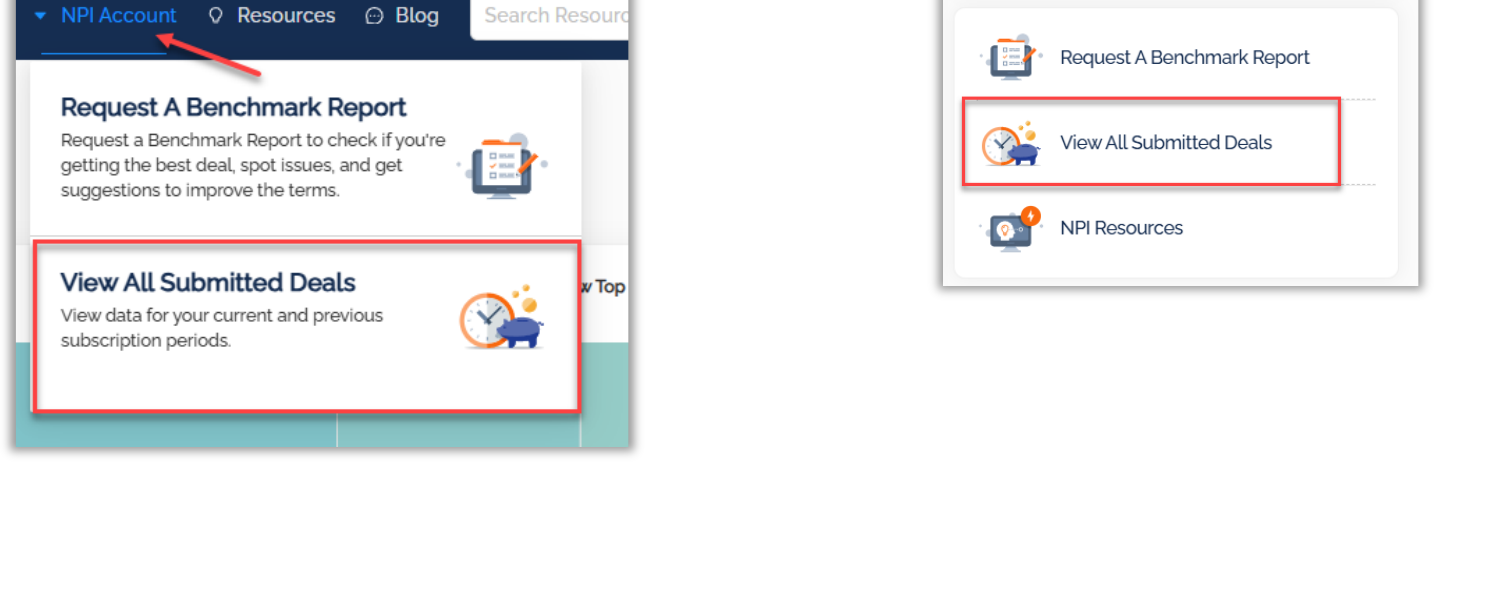
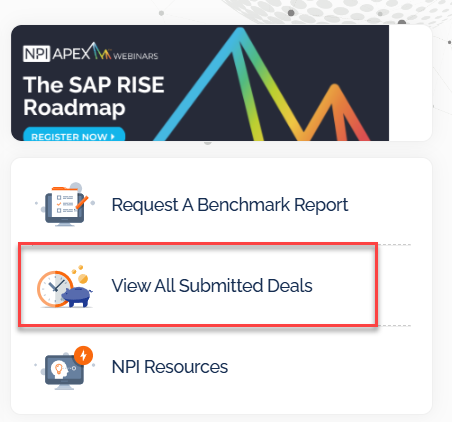
- From the right-side tile area on the home page, click the View All Submitted Deals tile.
Working With the Submitted Deals List
Click on more than one subscription period to see additional historic data.
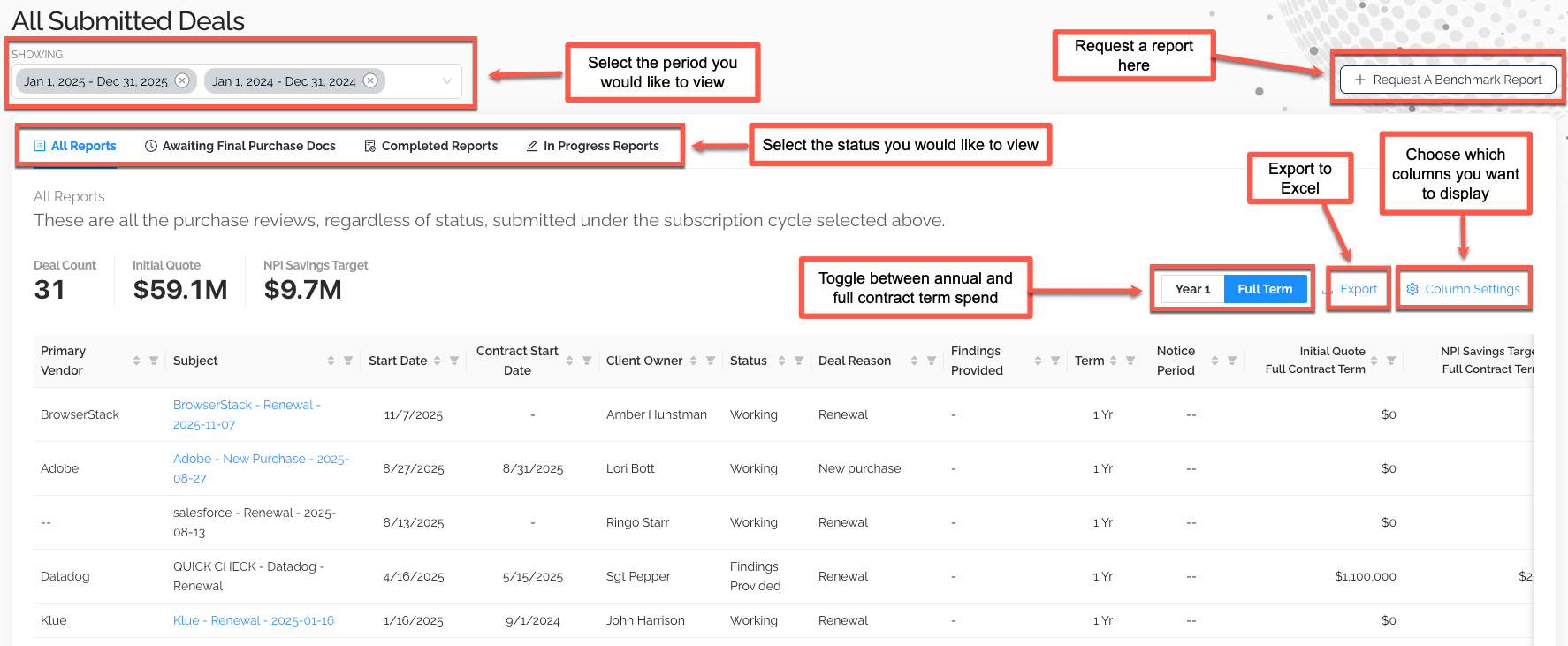
From this page you can:
- Select the period you would like to view (current and prior subscription periods)
- Select the status to filter by — All Reports, Awaiting Final Purchase Docs, Completed Reports, In Progress Reports
- Click + Request A Benchmark Report in the top-right corner to start a new request
- Use the Export button to send the data to Excel
- Toggle between Year 1 contract value and Full Term for multi-year contracts (everything is still exportable to Excel either way)
Customizing the Columns
Choose which columns you want to display using the Column Settings menu.
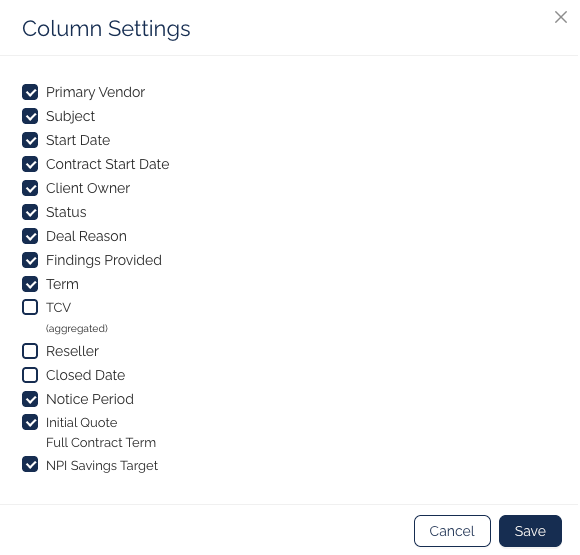
Tick or untick fields such as Primary Vendor, Subject, Start Date, Contract Start Date, Client Owner, Status, Deal Reason, Findings Provided, Term, TCV (aggregated), Reseller, Closed Date, Notice Period, Initial Quote / Full Contract Term, and NPI Savings Target to tailor the view to your needs.
Drilling Into a Deal
Click on the deal subject to drill down into Deal Details for that purchase review.
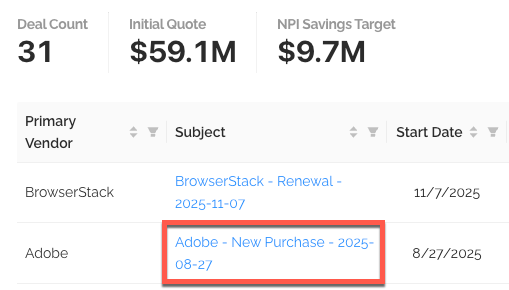
The Deal Details page lets you review request metadata, find uploaded documents, download the report (when complete), and see related contacts. See the Benchmark Report Requests guide for the full request and review lifecycle.
Was this article helpful?
That’s Great!
Thank you for your feedback
Sorry! We couldn't be helpful
Thank you for your feedback
Feedback sent
We appreciate your effort and will try to fix the article