Smart Calendar
NPI Vantage Pro User Guide
The Smart Calendar helps organize your upcoming renewals, showing number of contracts for an IT Vendor, total value, renewal date, previous analysis, assigned tasks, pricing trends and more.
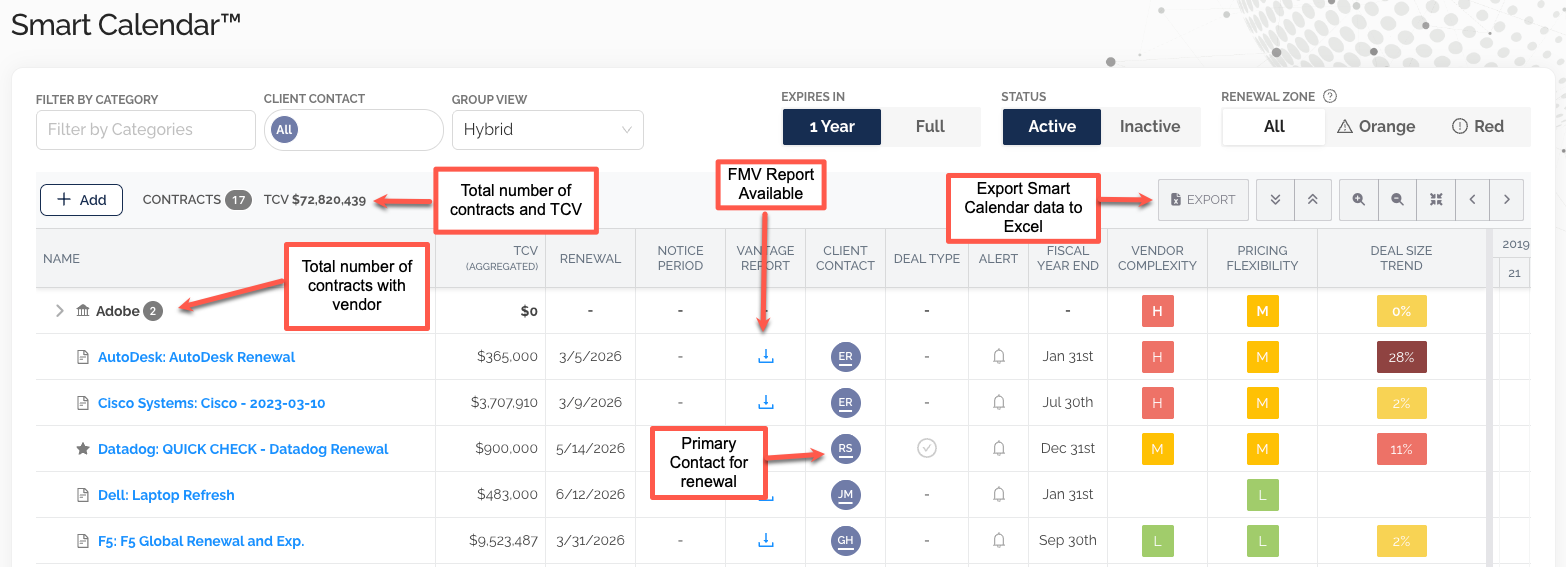
Key elements at a glance:
- Total number of contracts and TCV (shown next to the vendor name)
- Total number of contracts with a vendor (aggregated)
- FMV Report Available icon — download any previously delivered report
- Primary Contact for renewal indicator in the Client Contact column
- Export button to send the Smart Calendar data to Excel
Personalizing the Smart Calendar View
The Smart Calendar View can be personalized in a variety of ways.
Filter by Category or Client Contact
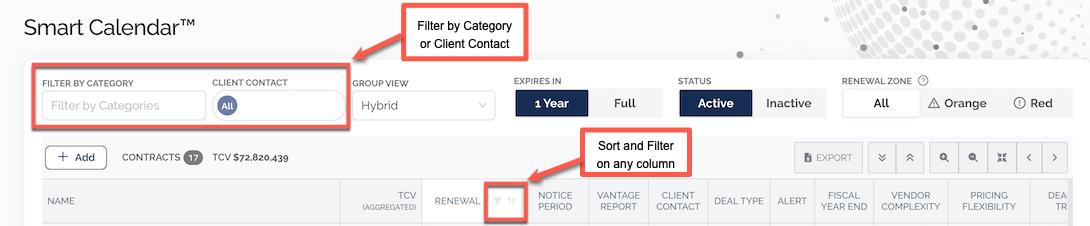
Use the filters at the top of the page to narrow your view by Category or Client Contact. You can also sort and filter on any column directly from the column header.
Choose how your contracts display
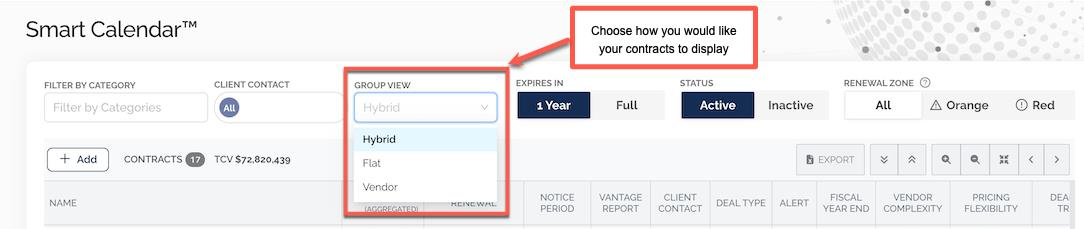
Use the Group View dropdown to choose how your contracts display:
- Hybrid (default view) — displays contracts nested or individually as appropriate
- Flat — displays contracts individually in alphabetical order
- Vendor — displays contracts grouped by Vendor in alphabetical order
Customize columns
Right-click on any column heading to display the column management menu. From this menu you can add or remove columns — including custom fields — by checking/unchecking boxes.
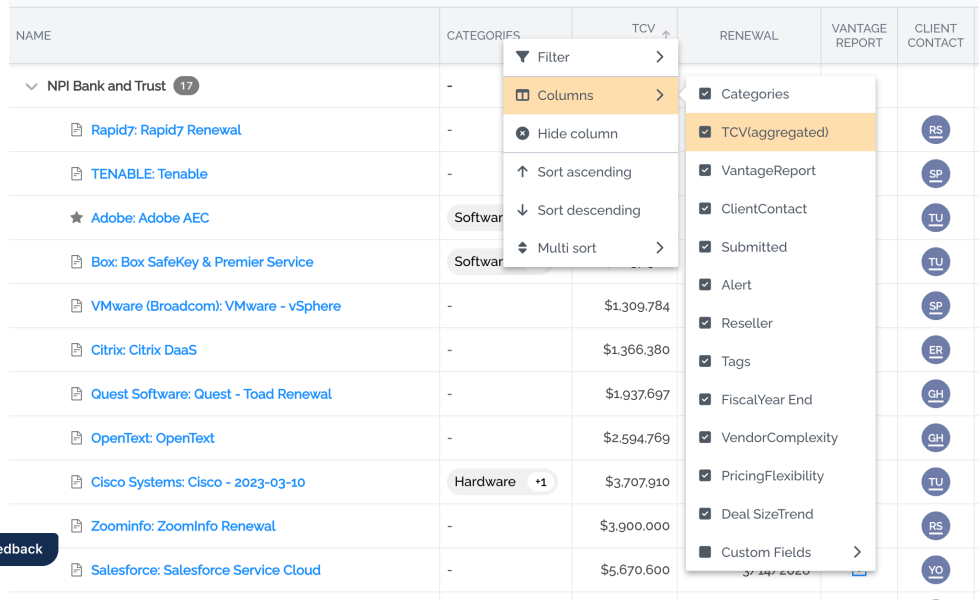
You can additionally filter, hide a column, sort ascending/descending, or apply a multi-sort. You can also drag-and-drop columns to further customize your view. Configured Smart Calendar settings will persist from session to session.
Purchase Characteristics Columns
The Smart Calendar pulls in the Purchase Characteristics from Supplier Dynamics to give insight into how the IT Vendor is operating in the marketplace and trends related to their deal size. These appear in the rightmost columns of the Smart Calendar.
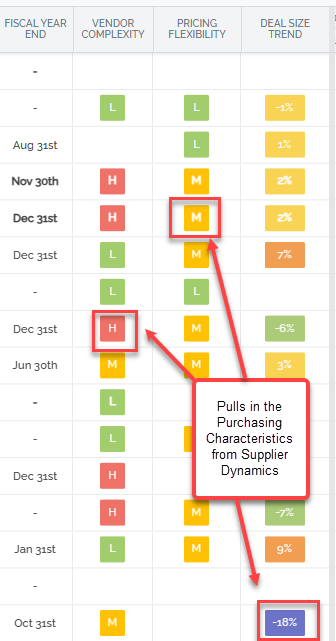
See the Supplier Dynamics Guide for more on Purchase Characteristics.
Accessing Deal Details from the Smart Calendar
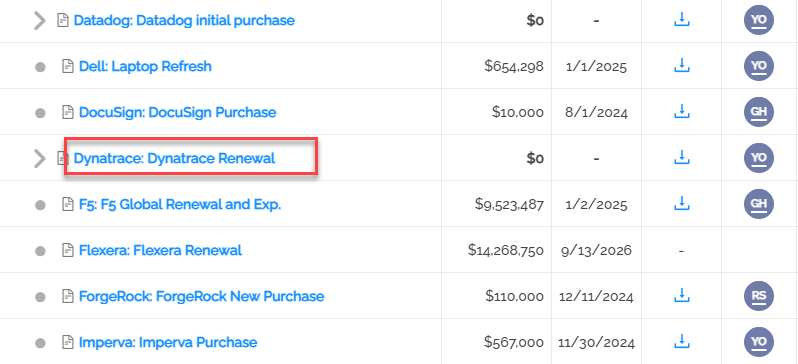
Click on the hyperlink in the renewal contract title, and this will pop up a summary screen. From there you can access the Deal Overview, Bill of Materials, uploaded documents, and relevant Supplier Dynamics information.
Was this article helpful?
That’s Great!
Thank you for your feedback
Sorry! We couldn't be helpful
Thank you for your feedback
Feedback sent
We appreciate your effort and will try to fix the article