NPI Vantage Pro User Guide on Requesting a Benchmark (FMV - Fair Market Value) Report
There are two ways to start a new request:
- NPI Account → Request a Benchmark Report from the top navigation.
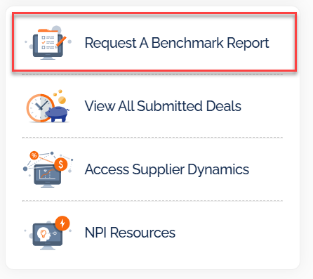
- The Request a Benchmark Report button on the Home dashboard or from the All Submitted Deals screen.
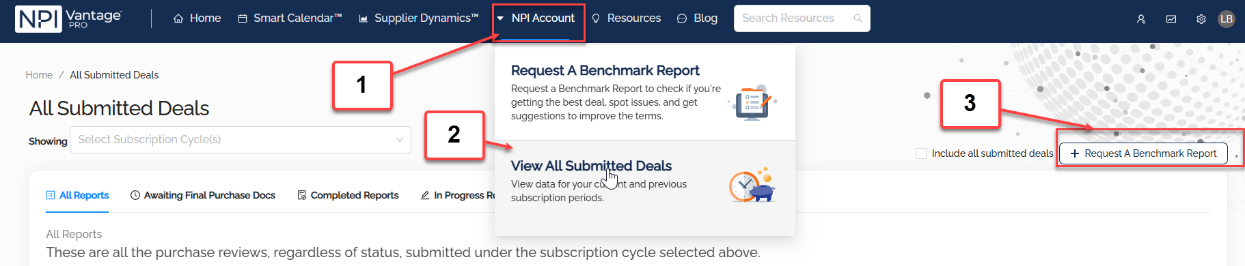
Both paths launch the same multi-step request form.
Step 1 — Title and Supplier
Start by entering a Request Title and selecting the Supplier. The title is how the deal will appear on your Smart Calendar and All Submitted Deals list, so keep it descriptive (e.g., "Microsoft EA — 2026 Renewal").
Step 2 — Contract Dates
Next, enter the Contract Start Date and Contract End / Renewal Date. Use the calendar picker to set exact dates.
Step 3 — Target Date & Drivers
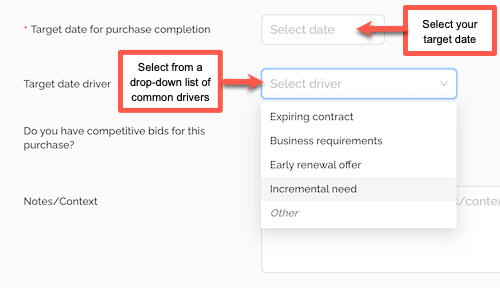
Specify your Target Completion Date for the benchmark and describe the key drivers for the deal (e.g., budget cycle, board approval, upcoming renewal cliff). The drivers help NPI prioritize the work and focus the analysis.
Step 4 — FMV Report Type
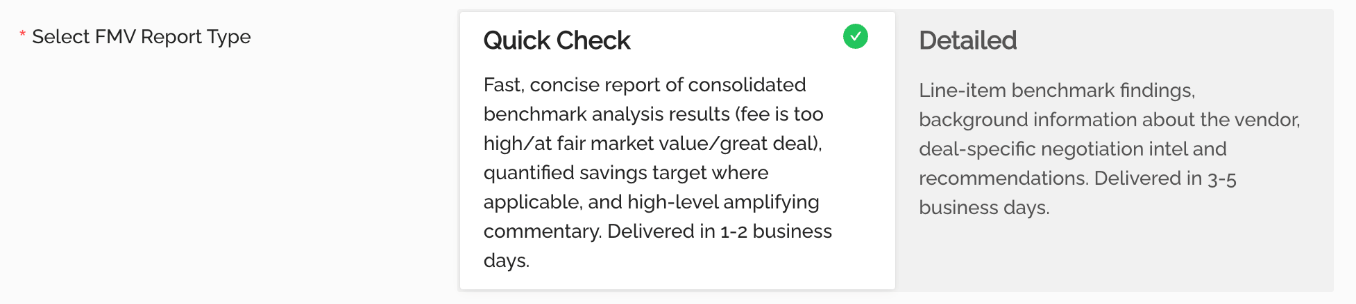
Select the Fair Market Value (FMV) Report Type. Options include standard FMV, Quick Check FMV, and other variants configured for your organization.
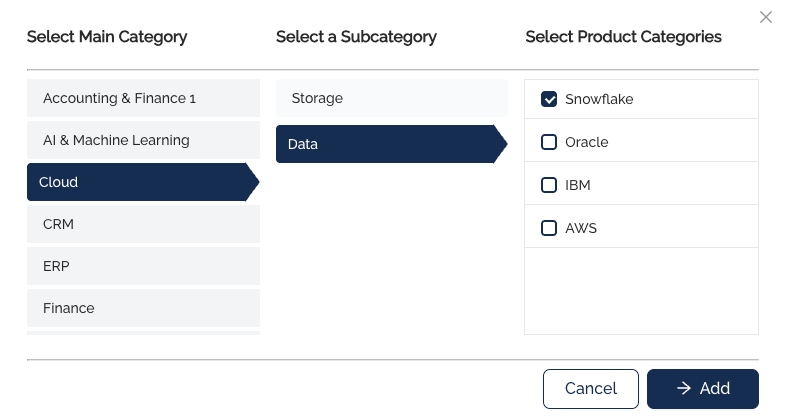
Step 5 — Categories
If your organization uses categories, assign the appropriate Category to the deal here. Categories power portfolio roll-ups on the Home dashboard and Smart Calendar.
Step 6 — Tags
Add any Tags that should travel with the deal. You can pick from existing tags or, if your organization allows it, type a new tag and press Enter to create it.

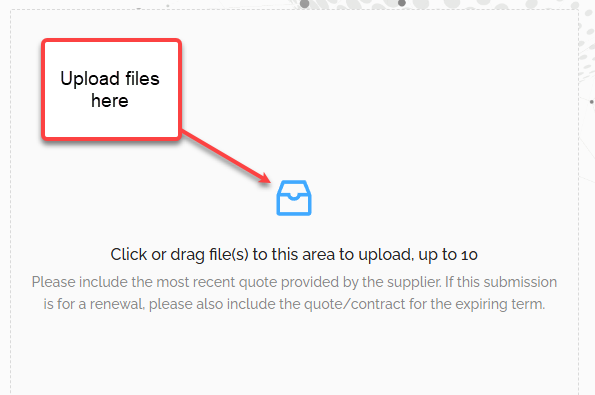
Step 7 — Upload Files
Upload the vendor quote, proposal, contract, and any supporting documents. NPI's analysts use these artifacts to perform the benchmark.
Step 8 — Submit (Even Without a Proposal)
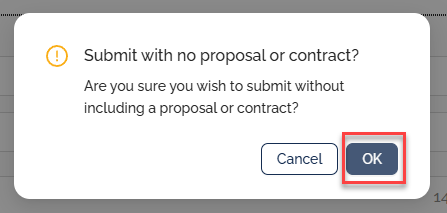
If you don't yet have a proposal or quote, you can still submit the request so NPI can begin preparation work. Check the No proposal available yet option and submit.
Tracking the Request
After submission, the deal appears in All Submitted Deals with a Working status. You can return to the list at any time to monitor progress.

When NPI completes the analysis, the deal status updates and the full report becomes downloadable directly from the deal details page.
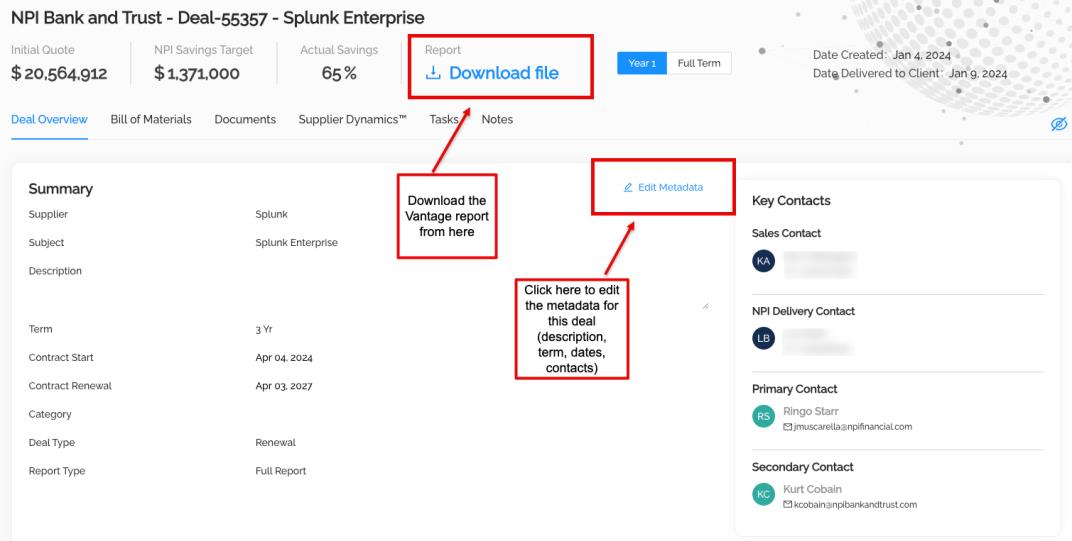
Use the Download file link to pull the final FMV report.
Was this article helpful?
That’s Great!
Thank you for your feedback
Sorry! We couldn't be helpful
Thank you for your feedback
Feedback sent
We appreciate your effort and will try to fix the article