Supplier Dynamics
NPI Vantage Pro User Guide
Supplier Dynamics is your vendor research hub in NPI Vantage Pro. It combines NPI's proprietary benchmarking intelligence with third-party data to give you a 360° view of any IT supplier — from executive summary and negotiation insights to risk profile, competitive landscape, and purchase trends.
Accessing Supplier Dynamics
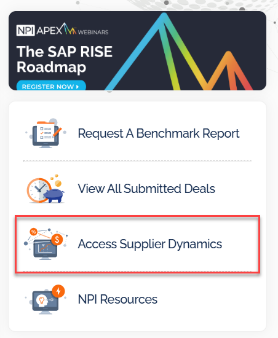
Supplier Dynamics can be reached from the top navigation bar, the right-hand quick-access links on the Home page, or directly from within a Deal Summary. On entering, use the supplier search or vendor tiles to select the vendor you want to research.
Once a supplier is selected, the following tabs are available:
- Supplier IQ — executive summary, company snapshot, product/service offerings, and negotiation insights
- Supplier Risk — DEI, Environmental Sustainability, Information Security, and Supply Chain risk profiles
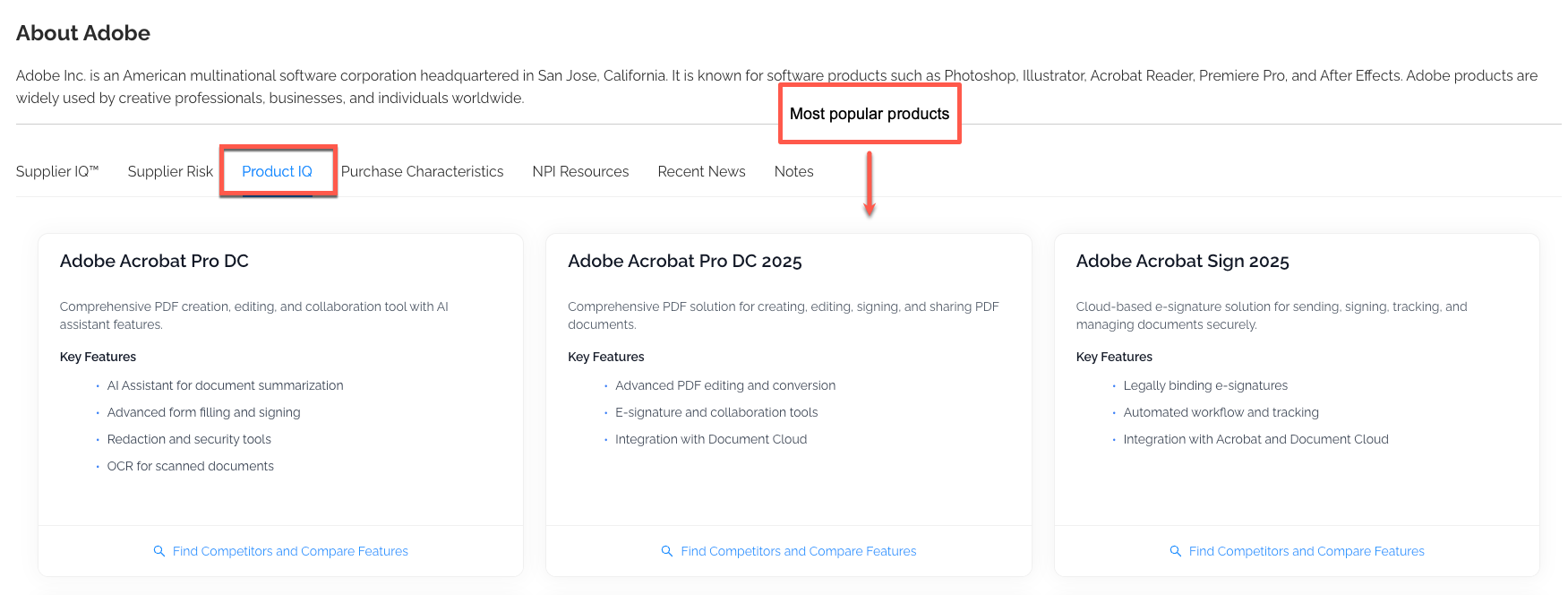
- Product IQ — competitor research and feature-by-feature comparison
- Purchase Characteristics — NPI-observed pricing flexibility, complexity, and deal size trends
- NPI Resources — curated research, reports, and playbooks for the vendor
- Recent News — latest news feed for the vendor
Supplier IQ
Supplier IQ is the first stop for understanding a vendor. The page opens with an Executive Summary followed by a Company Snapshot (headquarters, employees, revenue, ticker), a description of the supplier's Products and Services, and NPI's Negotiation Insights.
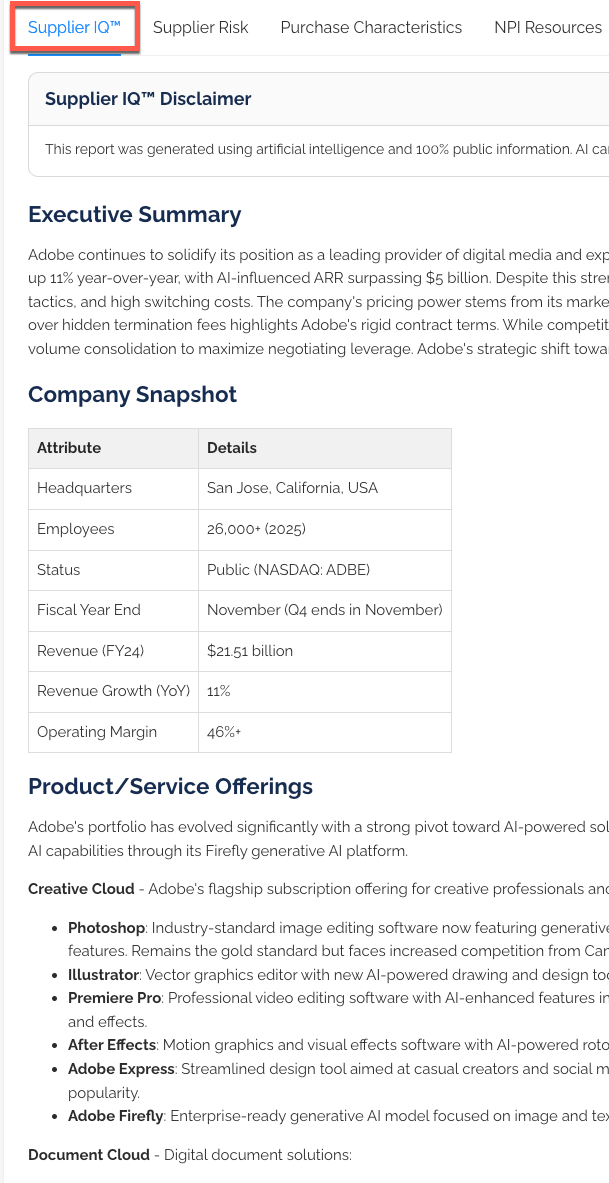
Use the Executive Summary to quickly understand who the vendor is, what they sell, and how NPI sees them in the current market.
Negotiation Insights
Scroll further down the Supplier IQ page for NPI's Negotiation Insights — a curated set of levers, tactics, and watch-outs NPI's advisors have seen work (and fail) on recent deals with this supplier.
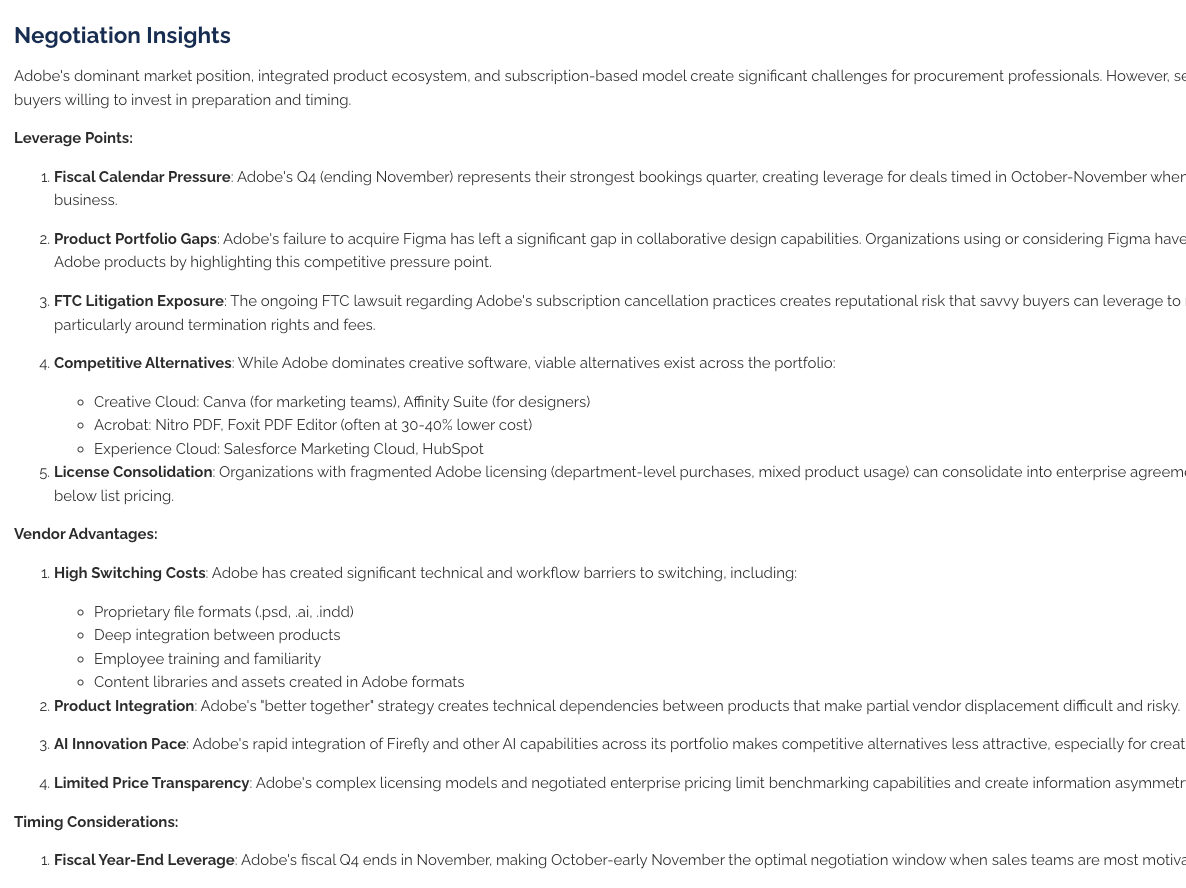
Negotiation Insights are written by NPI's category experts and refreshed as market conditions change.
Supplier Risk
The Supplier Risk tab aggregates third-party risk signals into four scored categories so you can quickly flag exposure before a renewal:
- DEI (Diversity, Equity & Inclusion)
- Environmental Sustainability
- Information Security
- Supply Chain Risk
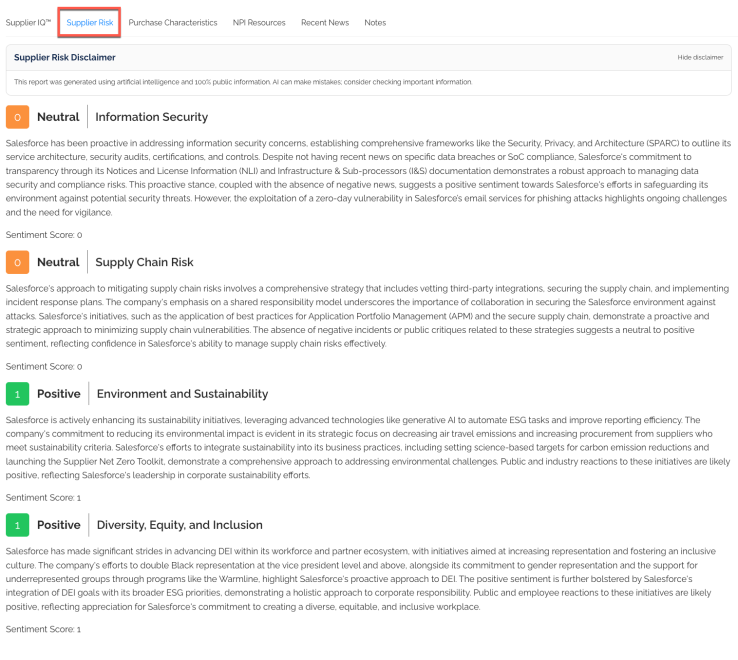
Each category shows the supplier's current score along with notable events or disclosures. Use the Supplier Risk tab to supplement procurement due diligence and to raise defensible questions in supplier QBRs.
Product IQ
The Product IQ tab lets you research competitive alternatives for the supplier's offering. It is the starting point for head-to-head comparisons during sourcing events or market checks.
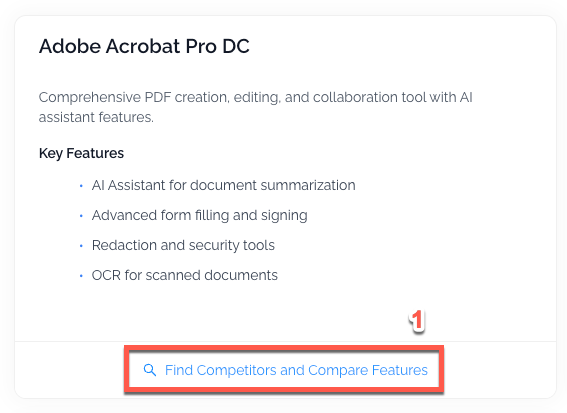
Finding Competitors
Click Find Competitors to launch the competitor discovery flow. Start by selecting the product or product category.
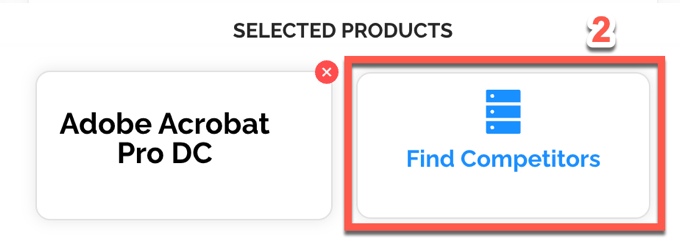
Next, confirm or refine the comparison set. You can select up to a handful of competing vendors/products to include in the side-by-side view.
Exporting a Comparison Table
Once the comparison is built, you can export it for use in stakeholder reviews and RFP shortlists.
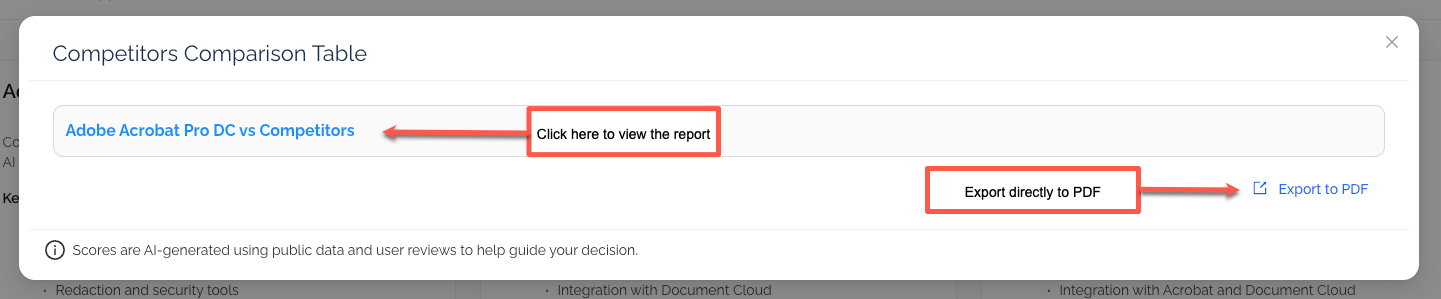
Click the export icon to download an Excel or PDF copy of the comparison.
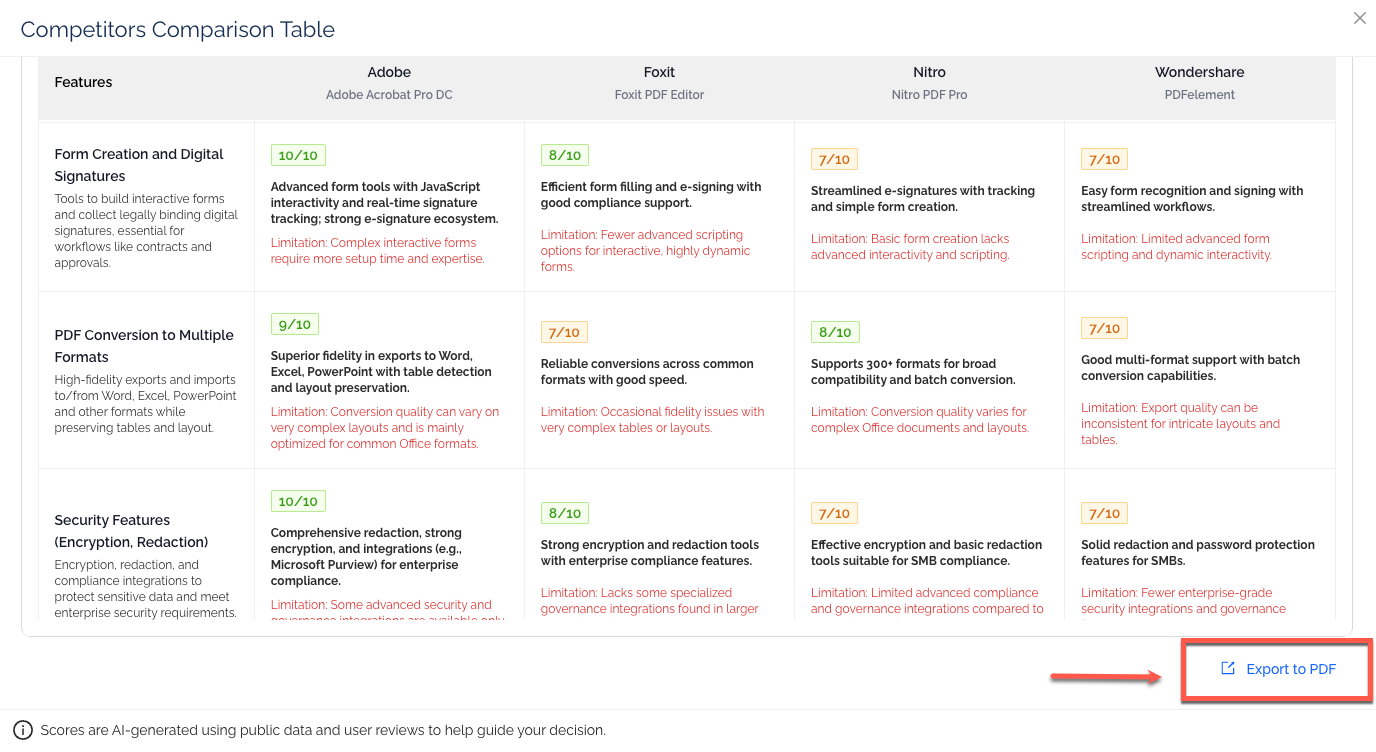
The exported file preserves the product/vendor columns and the feature scoring so it can be shared with procurement stakeholders.
Top Features Comparison
Below the main comparison you will find the Top Features view — a highlight of where the products differ most, organized by feature area.
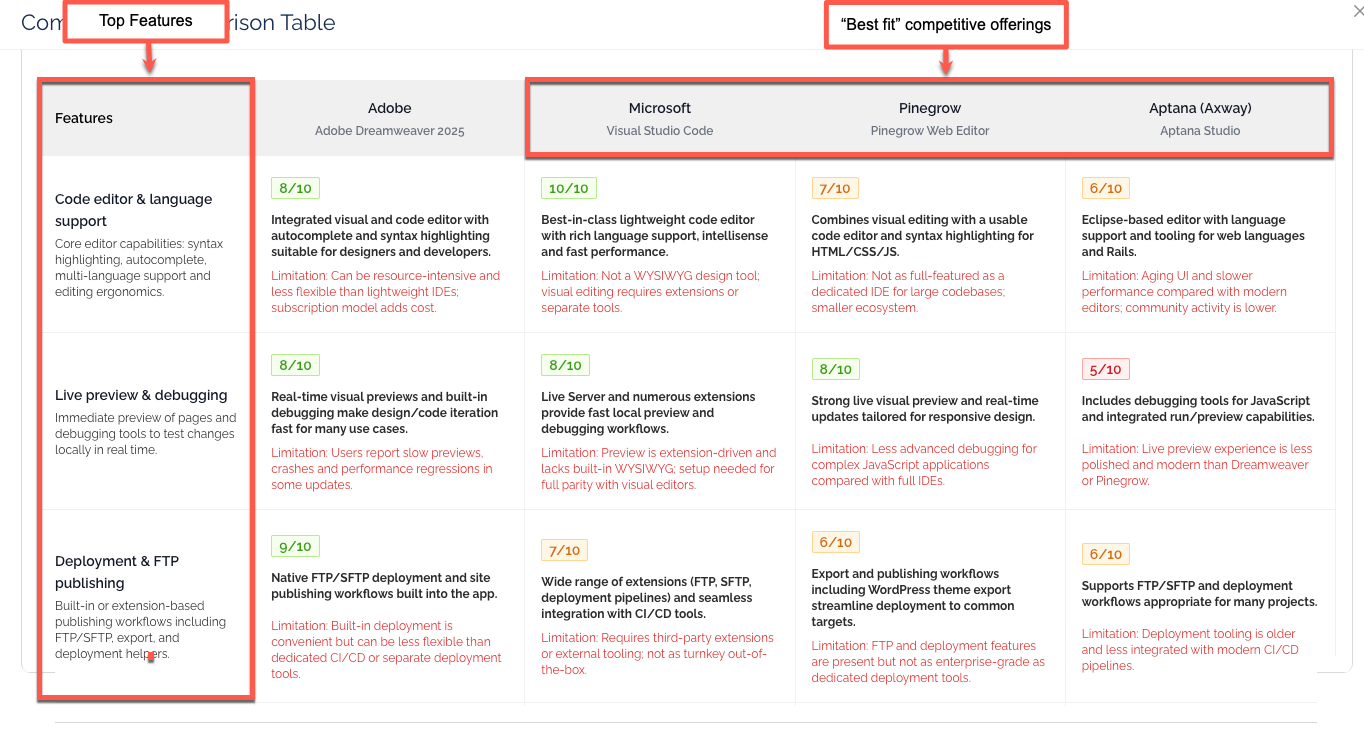
Feature Scoring
Individual features are scored using a simple traffic-light rubric:
- Green — strong feature coverage
- Yellow — partial or caveated coverage
- Red — limited or missing coverage
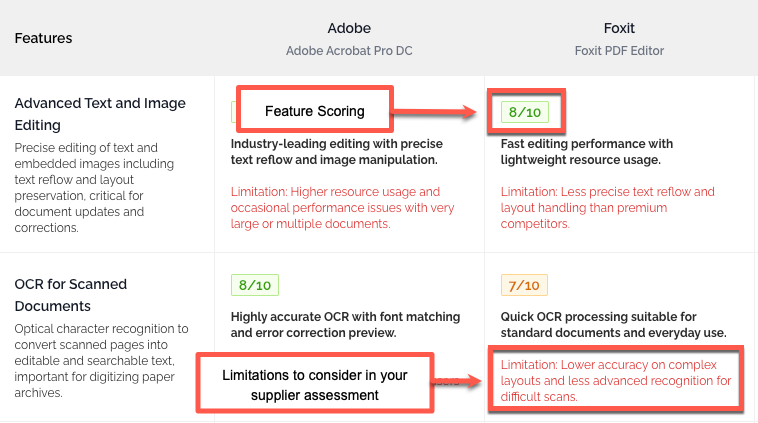
Use the scoring to pressure-test vendor claims and to prioritize the functional gaps that matter most to your use case.
Purchase Characteristics
The Purchase Characteristics panel translates NPI's deal database into practical signals about how the supplier behaves commercially:
- Vendor Complexity — how complex the vendor is to negotiate with
- Pricing Flexibility — how much room exists on price
- Deal Size Trend — whether NPI is seeing deal sizes grow, shrink, or hold steady
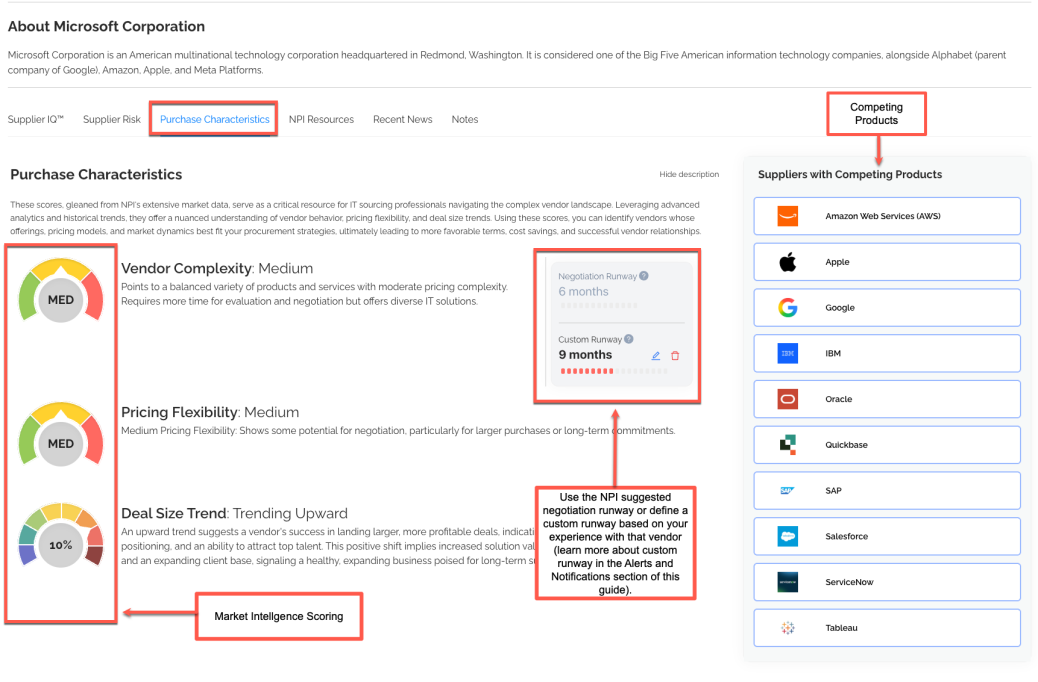
These same indicators appear as columns on the Smart Calendar so you can scan them across your portfolio.
NPI Resources (Supplier Tab)
The NPI Resources tab on a supplier page surfaces the research library filtered to that vendor — benchmark reports, playbooks, category briefs, and advisory notes.
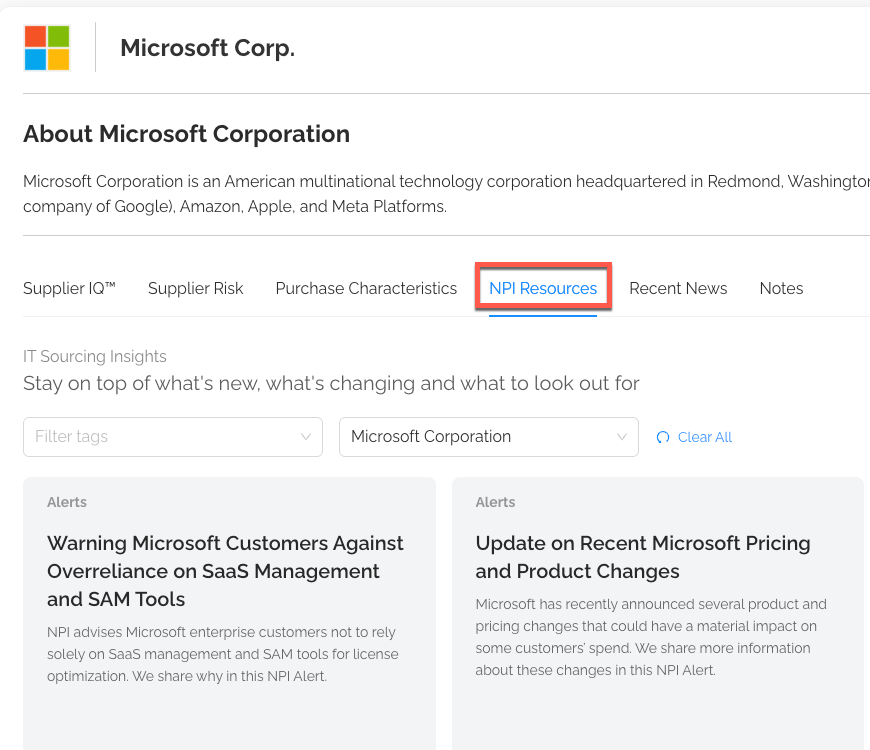
Use this tab to ground yourself in NPI's prior coverage of the vendor before heading into a renewal.
Recent News
The Recent News tab provides a rolling feed of public news and announcements about the supplier — useful for catching M&A activity, product launches, leadership changes, and earnings signals that can shift leverage.
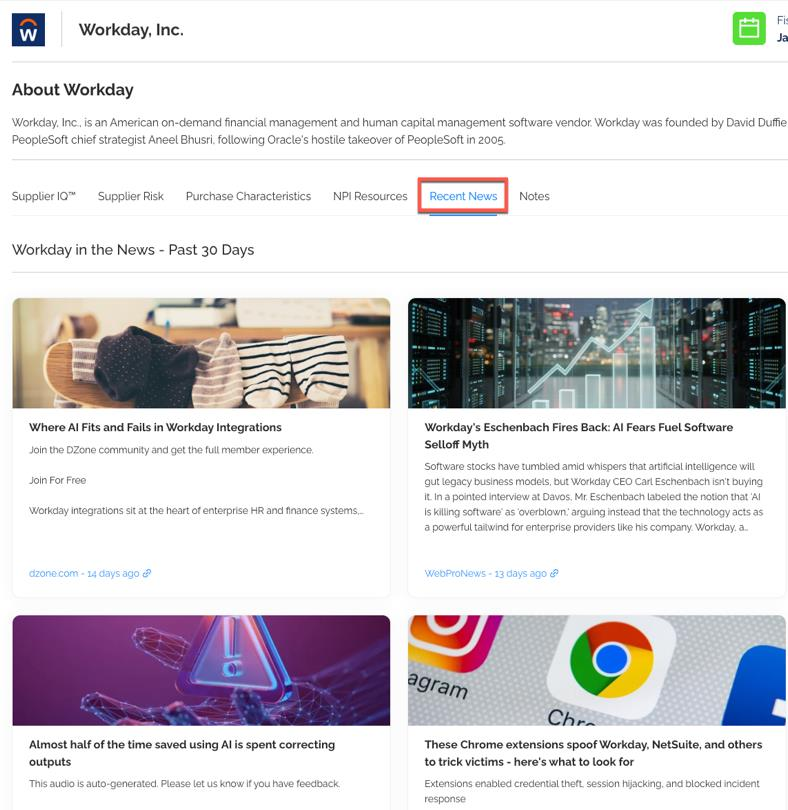
Was this article helpful?
That’s Great!
Thank you for your feedback
Sorry! We couldn't be helpful
Thank you for your feedback
Feedback sent
We appreciate your effort and will try to fix the article